Production
What Are Stems and Why Do You Need Them for a Feature?
· 6 min read
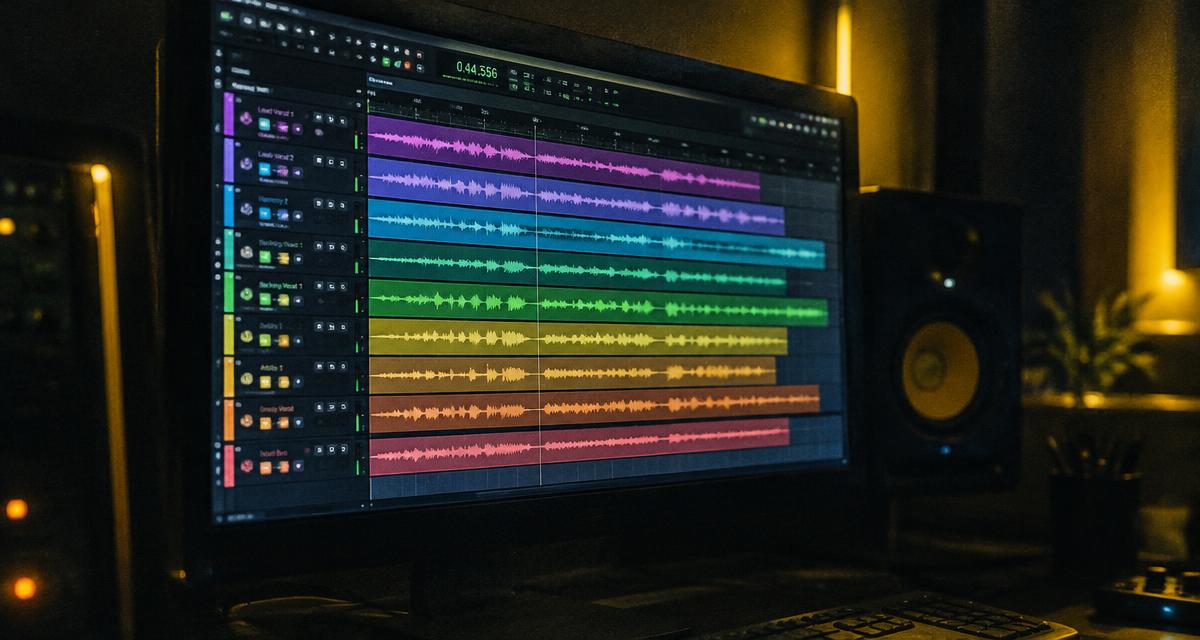
Stems for a feature let your engineer work with the guest performance instead of being stuck with one finished vocal blend. If the lead is too quiet, the ad-libs crowd the hook, or the effects clash with your beat, separate files give you options. Asking for the right delivery before recording can save a frustrating round of exports later.
The word “stems” gets used loosely in rap sessions. Your goal is not to win a terminology argument. Your goal is to agree on exactly which audio files will arrive, how they will line up, and what your engineer can change.
What stems for a feature actually are
Technically, a stem is a grouped audio export, such as all lead vocals together or all background vocals together. Multitracks are the individual recorded tracks that make up a session. A folder containing separate lead, double, and ad-lib recordings may be called “stems” in everyday feature conversations even when “multitracks” is more precise.
Spell out the files you need rather than requesting “all stems” and hoping both sides mean the same thing. A stereo instrumental and one stereo vocal mix provide much less control than separate vocal parts. Neither delivery is automatically wrong; they serve different production needs.
Separate vocals make mixing decisions possible
A guest might deliver a confident performance with doubles that overwhelm certain words. With separate files, your engineer can lower those doubles without lowering the lead. The same applies to bright ad-libs, breaths, long delays, and background harmonies that need different treatment.
Those options matter when your voice and the guest’s voice have different tones. Your engineer can shape each performance to fit the record while keeping the collaboration sounding intentional rather than pasted together.
Ask for a practical vocal package
Your delivery request should match the song, not an imaginary perfect session. A straightforward verse may need a lead, a few doubles, and ad-libs. A melodic feature might also need harmonies and stacked backgrounds. Ask the guest to identify every part that appears in the reference mix.
- Main lead vocal, clearly labeled and separate from the beat.
- Doubles, emphasis tracks, ad-libs, and harmonies where recorded.
- Dry or minimally processed versions suitable for mixing.
- Wet reference versions when effects are part of the creative sound.
- A rough full-song bounce showing the intended placement and balance.
“Dry” needs a short conversation. Artists sometimes use tuning, distortion, or other processing as part of the performance itself. Ask what can reasonably be removed and what should remain. Do not demand an entirely unprocessed vocal after approving a sound that depends on committed processing.
Make every export start together
The simplest handoff uses a common start point for every file, even if the verse begins much later. Silence before the performance is useful: it preserves placement when the engineer imports the audio. Do not trim each track to its first audible syllable unless you also provide a reliable alignment method.
Send the session tempo and any tempo changes. If the instrumental has a pickup, a free-time intro, or an unusual arrangement, explain it. A bar reference can help, but a reference bounce is often the quickest way to show exactly where the verse belongs.
Choose formats with the receiving engineer
Confirm sample rate, bit depth, mono or stereo requirements, and preferred file format before export. WAV is a common practical choice for production delivery. Avoid using a compressed listening file as the only source for the final mix when a full-quality export is available.
Do not convert files repeatedly just to make every number match an assumption. Ask the engineer how to handle a session recorded at a different sample rate. Preserve the original exports as backups, and work from copies when changes are needed.
Label files like somebody else must open them
Use names that identify the song, artist, part, and version. A name such as TrackTitle_Guest_Lead_Dry_v1 tells the engineer more than “final audio new.” Keep the same naming pattern across the folder so nobody mistakes an ad-lib reference for the main lead.
Include a short delivery note with tempo, export settings, verse placement, and any intentional effects. If there are multiple takes, identify the approved take. Sending every experiment without guidance can create more confusion than sending a focused, clearly labeled package.
Check the files before approving delivery
Import the files into a fresh session or have your engineer do it. Play the verse against the correct instrumental. Listen for missing words, clipped peaks, accidental mutes, unexpected bleed, and tails cut off before reverbs or delays finish. Confirm that the rough bounce matches the supplied parts.
Separate files cannot rescue every recording problem. Severe clipping, room noise, and a distorted microphone signal may require a new recording. Check the delivery while the guest can still address an issue, not after you have scheduled the release and handed everything to a mastering engineer.
Put the handoff in the feature agreement
Agree on deliverables, revisions, and deadlines before the session. Distinguish a missing file from a request to rewrite the verse. A technical correction and a new creative direction are different kinds of work, so your agreement should explain how each is handled.
Certune includes stems with feature verses. Still, clarify the exact file package and creative expectations for your project rather than treating the word “stems” as a complete technical specification. You can start with the FAQ and use how to book a feature to build a more complete brief.
Keep the original delivery, approved reference, and final mix together. That organized archive makes clean versions, performance edits, and future authorized revisions easier without asking everyone to reconstruct an old session.